Classifying Emails with AI for Fun (and Non-Profit)
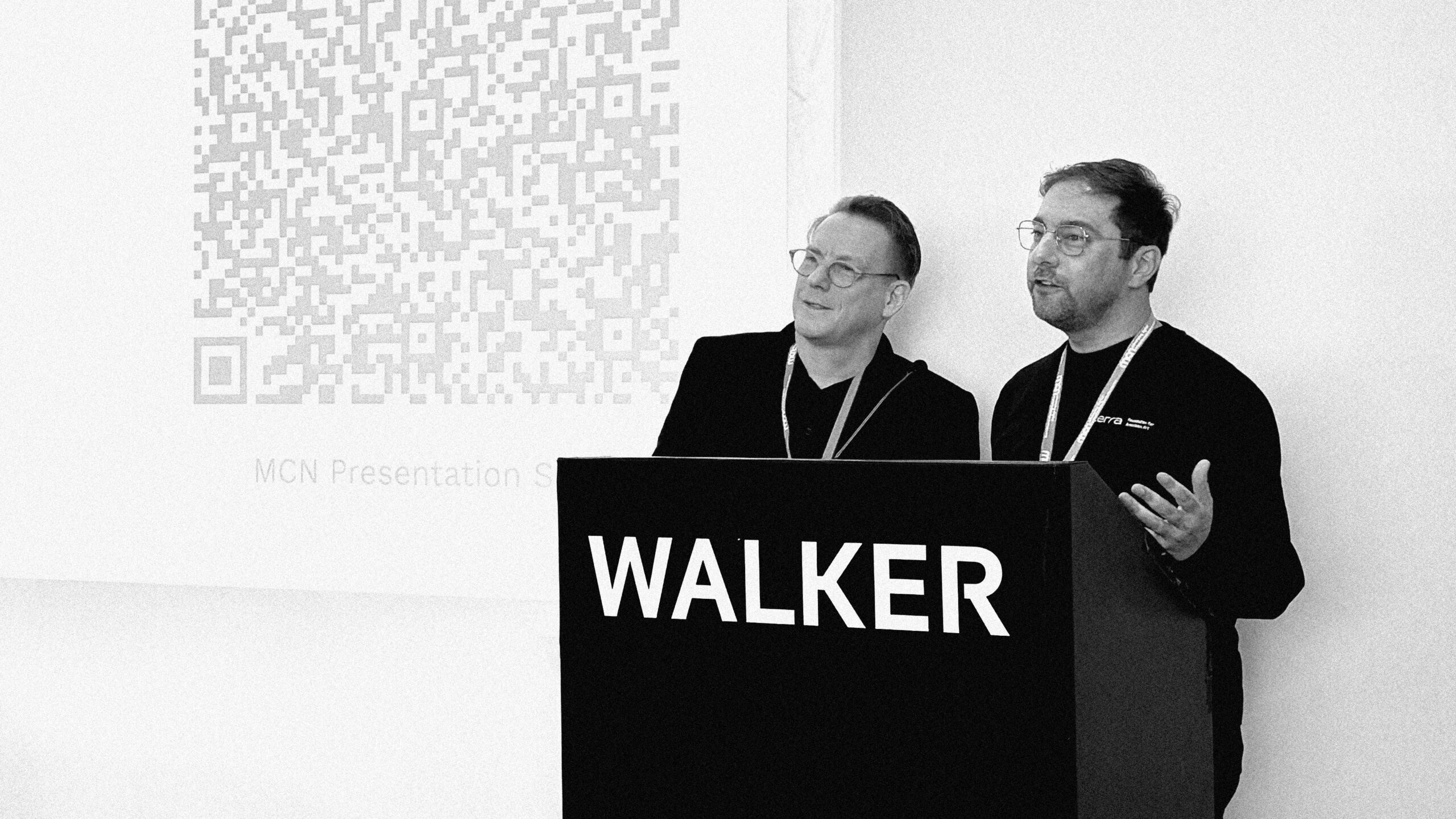
I presented at the MCN 2025 conference this year, alongside designer and technologist Knut Graf. Our talk focused on an AI system we developed that classifies incoming emails based on multiple criteria, including subject matter, visitor type, and urgency. This system helps route messages to the appropriate team members with the relevant expertise, ensuring fair and timely responses.
This project originated from discussions I had with museum leaders at the 2024 MCN conference last year. As museums work to serve diverse audiences, email communication remains a vital but often tedious touchpoint. Managing a catch-all inbox, even after inbox rules have been applied, is a time-consuming task that feels endless. In my role as a digital consultant for museums, I recognized an opportunity to collaborate with Knut Graf, given his background in conversational analytics. We approached this project as a research endeavor and are seeking museum partners to continue the work.
The mission of MCN, the Museum Computer Network, is to enhance the digital capacity of museum professionals by connecting them to ideas, information, opportunities, proven practices, and each other. The MCN 2025 conference will be held at the Walker Art Center from October 20 to 22, 2025, bringing together cultural heritage professionals from museums and historic sites across North America and beyond.
What follows is an introduction to our project, written by Knut. For more details, including technical information on training the custom LLM, please visit the Graf Systems website.
—Marty
The Email Classifier Solution Prototype
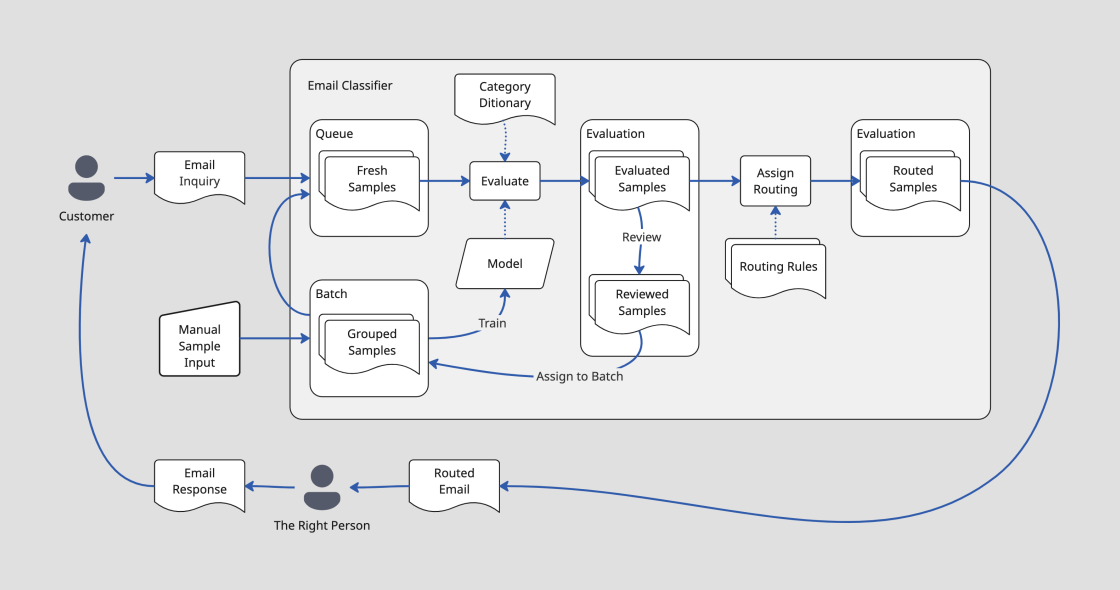
A work-in-progress machine learning project that classifies emails being sent to a museum, identifying topics, visitor segments and urgency, as criteria to provide internal routing to the right people to respond.
The project presents a user-facing utility app that, in the “crawl” version, allows experimentation with samples and models, running inference, checking and correcting results, and management of sample batches. The utility app interfaces with the inference pipeline, which does the actual classifying of samples by a model.
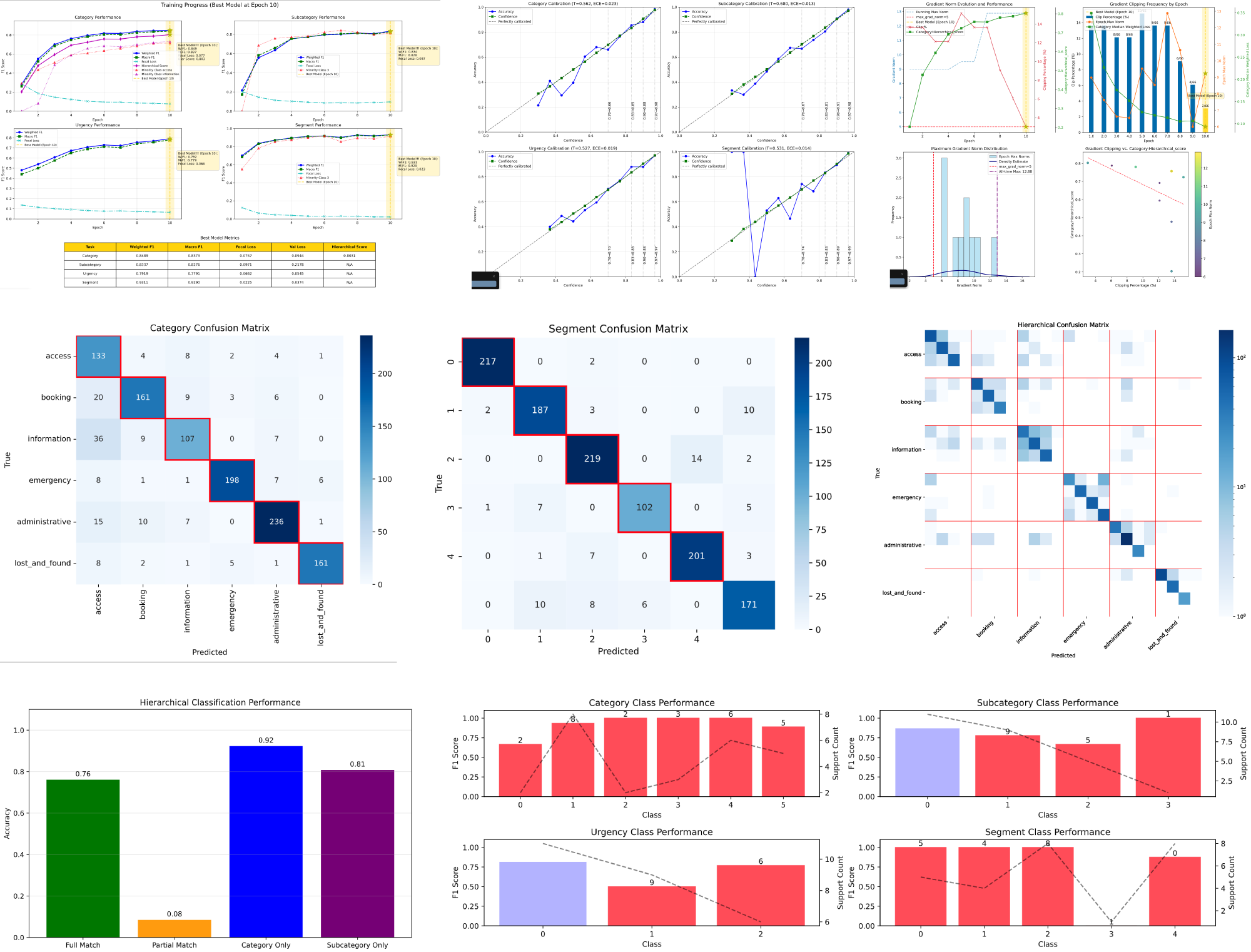
Behind the scenes, a training pipeline is a command line tool to do model training runs, using json files for parameters and visualizations to show training outcomes and model performance, to allow parameter optimization.
I am building this on the DistilBERT transformer (a relatively small model that can run locally) in Python with PyTorch. The user-facing front end prototype is a python app using SQLite, Vite, React and Ant Design with a token-based design system. I use Cursor, Claude, Claude Code and other LLM tools to build, and to generate training data.
The project complexity is well beyond “vibe coding scale”. I follow a “one-person product organization” approach, relying on documentation-driven process, step-by-step implementation and testing: (paper-) notebook sketches drive PRDs that flow into design documents, architecture documents, plans, and then prompts, for tests and for code.
Front End and UX Design Process
For the front end, I chose React (as opposed to something more modern) since LLMs are well-trained on it. This was helpful both for prototyping screens and for the actual implementation. Ant Design is a great design system to use because it has robust enterprise grade features, such as flexible tables, built in, which can otherwise be hard to deal with. Ant Design also offers a sophisticated design token system to keep CSS clean and simple.
To design the UX, I bypassed sketching in Figma. After doing paper sketches and taking notes, I iterated on a PRD document and on a feature-by-feature UX specification supported by sample .json data files. These documents informed a series of prototypes in Cursor. A prototype then served as a reference for implementation. The implementation always gets refined too: nothing like running code to experience and optimize flow. Eventually it is good.
I also explored doing actual sketches with Figma’s First Draft feature and with Google Stitch, but did not like being stuck with dead-end drawings. These tools also had a harder time creating results with appropriate amount of detail and structure. Figma Make could have been another option, but I just stuck with my default tools to get the job done.
—Knut

Posted October 2025